
How to Set a Reminder on WhatsApp: "Remind Me", Android Workarounds, and Aivi (2026)
"I'll call you Thursday at 3" scrolls up, and by Wednesday nobody remembers. Setting a reminder on WhatsApp is easier now than it used to be — on iPhone there's a built-in Remind me option right on any message. Below: how it works, where to find it, what to do if it isn't on your phone yet, and how Aivi spots plans in your chats and offers reminders for them.
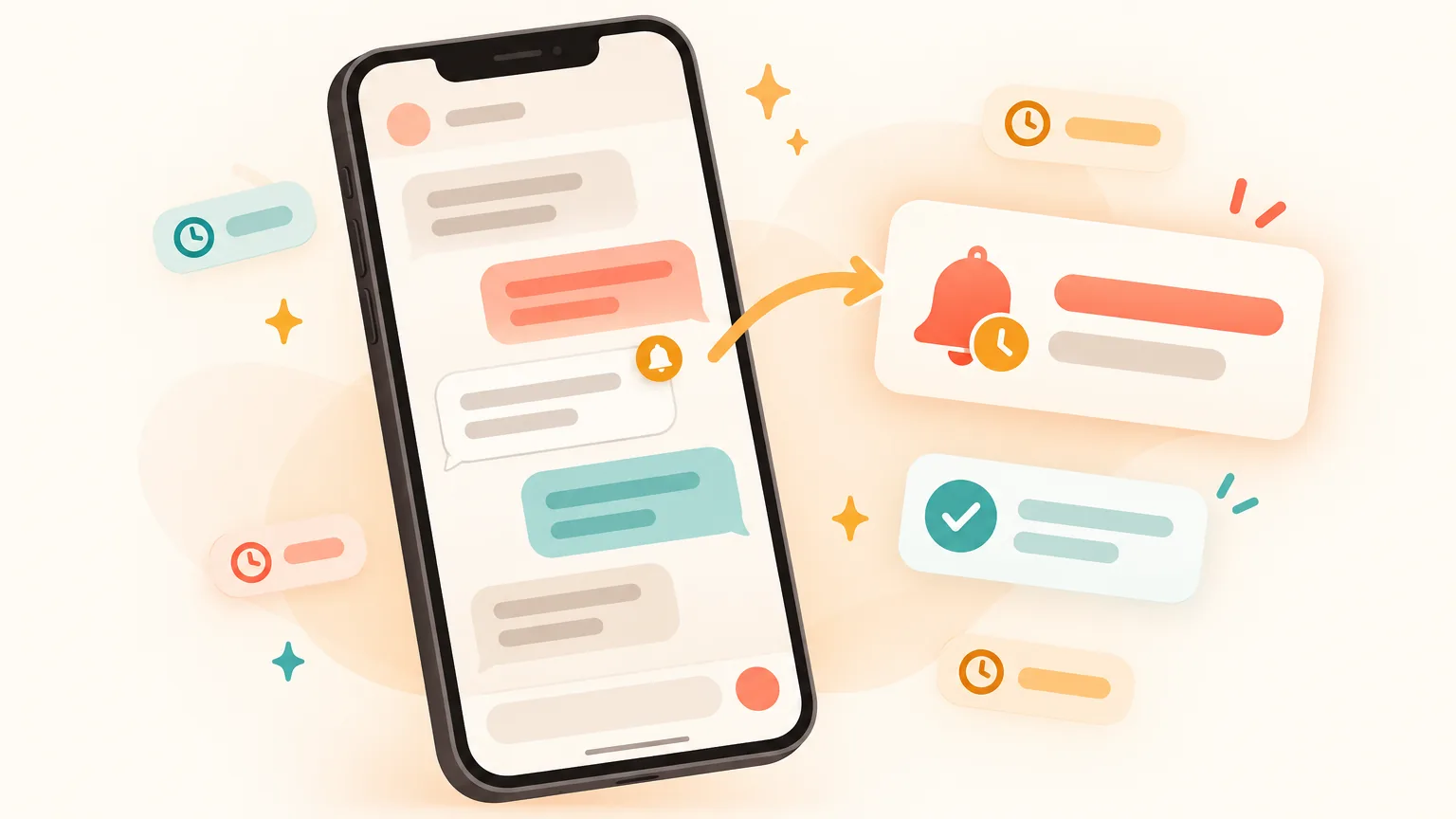
Can you set a reminder on a WhatsApp message?
- Yes, on iPhone. Open the chat, press and hold the message, tap More… → Remind me, and pick 2 hours, 8 hours, 24 hours or a custom time. A bell icon appears on the message, and WhatsApp pings you later with the text and the chat name. Only you see it (as of October 2026).
- On Android, not everywhere yet. WhatsApp tested the same feature in Android betas during 2025; a wide rollout hasn't been confirmed. If Remind me isn't on your phone, use WhatsApp Events in a group, your phone's own reminders app, or install Aivi — it watches your chats and offers to set a reminder when it spots a promise, one tap.
How to set a reminder on WhatsApp on iPhone
On iPhone the reminder lives right on the message. You press and hold a message in a chat, and WhatsApp will ping you about it later. Only you see it — the sender and the group have no idea.
- Open the chat and find the message you don't want to forget.
- Press and hold the message until the menu appears.
- Tap More…
- Tap Remind me.
- Pick In 2 hours, In 8 hours, In 24 hours, or Choose a time for a custom date and time.
- The message now shows a bell icon. When the time comes, WhatsApp sends you a notification with the message text and the chat name.
This is how to put a reminder on WhatsApp without any extra app, chat with a bot, or third-party extension. It is a native iPhone feature as of October 2026 (MacRumors).
How to set reminder on WhatsApp Android
Short answer: the same Remind me menu was tested in WhatsApp beta builds for Android during 2025, but a wide rollout to all Android users hasn't been confirmed as of October 2026. It may not be on your Android phone yet.
Two quick checks before you give up on it:
- Update WhatsApp in Google Play. New features arrive in staged rollouts — a fresh version is the fastest way to pick one up.
- Press and hold a message and look for Remind me in the message menu (on Android, check the three-dot ⋮ menu too). If it isn't there, the feature simply hasn't reached your phone yet.
If the option isn't there, don't fight it. Skip ahead to [other ways to set a reminder](#other-ways), or jump straight to [reminders born from your chats with Aivi](#aivi) — Aivi works the same on iPhone and Android, so you don't have to wait for a WhatsApp update at all.
How do you cancel or change a WhatsApp reminder?
You remove a reminder the same way you set it — press and hold the message that has the bell.
- Find the message with the bell icon in the chat.
- Press and hold it until the menu appears.
- Tap More… → Cancel reminder.
- The bell disappears. No notification will come.
To change the time, the simplest way is to cancel the reminder and set a new one.
Why isn't the "Remind me" option showing up? What happened to reminders on WhatsApp?
Nothing bad — the feature just hasn't reached your WhatsApp account yet. WhatsApp ships new options in waves: some phones get them first, others wait weeks or months. The official WhatsApp page Not seeing a feature on WhatsApp spells this out.
A short checklist, in order of what's quickest to try:
- Open the App Store or Google Play and update WhatsApp to the latest version.
- Check the message menu again after updating — new options appear there, not in settings.
- Check you're not on a modified WhatsApp (WhatsApp Plus, GB WhatsApp and similar). Unofficial apps can get your account banned — stick to the official app from the App Store or Google Play.
- Give it time. There's no setting to switch a feature on before it reaches your account.
Other ways to set reminders in WhatsApp without an extra app
Even without the built-in Remind me, you've got a few options. None of them is as neat as the native reminder, but each one works today.
WhatsApp Events in a group or community
If the plan is something a group needs to know about — training on Tuesday, dinner on Saturday — use Events. Open the group chat, open the attachment menu, choose Event, fill in the title, date and time, and send it.
Everyone invited can reply whether they're going, and WhatsApp pings them before it starts. Since the start of 2026 you can also set an early reminder for all invitees. More in our guide: Calendar in WhatsApp: turn chat plans into events and reminders.
Star the message as a bookmark (this is not a reminder)
Press and hold a message → Star. It lands in your Starred messages list for later. Useful as a bookmark, but WhatsApp will not ping you about it — nothing happens on its own. Think of it as "don't lose this", not "remind me about this".
Your phone's reminders app
On iPhone, open Reminders (or say "Hey Siri, remind me tomorrow at 9 to reply to Anna"). On Android, use the Google app with "Hey Google, remind me…" or your phone's reminders / tasks app.
It works, but the text from the WhatsApp message doesn't move with it — you type the "what" yourself. Fine for one or two, tedious once you've got a dozen chats on the go.
Is it possible to set a reminder in a WhatsApp group?
For yourself, yes — for everyone else, use an Event. The Remind me option works on any message, including one inside a group, and the reminder is private — nobody in the group knows you set it. If you want a reminder that reaches the whole group, create a WhatsApp Event instead; WhatsApp then pings every invitee before it starts.
How to set notifications on WhatsApp (and why that's not a reminder)
Notifications and reminders are different things. Notifications control how a chat alerts you when a new message arrives — the sound, the vibration, whether it shows at all. You set them inside the chat: open the chat → tap the contact or group name → Notifications (on Android, Custom notifications).
A reminder is something you set about a specific message, so you'll be pinged about it later even if no new message comes in. Different mechanism, different menu.
Can I set up a reminder bot on WhatsApp?
Yes, reminder bots on WhatsApp exist. They're a separate contact — you chat with the bot, type your reminders in a specific format, and the bot messages you later in its own chat.
The catch: every reminder has to be typed into the bot by hand. The bot doesn't see your other chats, so a promise made in a family group never turns into a reminder unless you retype it. Aivi, in contrast, isn't a bot in WhatsApp — it's a separate app that works alongside your chats on your side.
Reminders born from your chats: how Aivi works
Aivi is an AI assistant for iPhone and Android that works on top of your WhatsApp and Telegram. The reminder story is where it earns its keep: Aivi notices a promise in a chat and offers to set a reminder for it — before you remember to.
Promises caught in chats
"I'll send it by Friday", "let's talk Thursday at 3", "call me after lunch" — Aivi spots the plan and offers a reminder. One tap, your call. Nothing is set without you.
Group chats too, quietly
Aivi reads group chats as well as one-to-one ones and understands who said what. Only you see the suggestion. The group sees nothing, and Aivi never writes anything into the chat.
Or just ask
"Remind me tomorrow at 9 to call Anna", "remind me on Friday to send the contract" — Aivi takes it from there.
Your own calendar and tasks
Aivi keeps your reminders in its own calendar and task list. Connect Google Calendar and events show up where you already check them.
A morning that already knows
Each morning Aivi lays out your meetings and tasks for the day — one screen, no scrolling through chats.
Private by design
You link WhatsApp yourself through its official Linked Devices feature — Aivi never asks for your WhatsApp password or SMS code, and your messenger passwords never reach our servers. Your chats stay on your phone; Aivi keeps no archive of your messages. Nothing is sent on your behalf. Unlink any time in WhatsApp → Linked Devices.
The chat with Sam stays exactly as it was. Nothing is posted. Nobody but you sees the suggestion or the reminder. On Thursday afternoon, Aivi pings — not WhatsApp.
How to add reminders to WhatsApp with Aivi
Three steps the first time, then Aivi just works in the background.
- Install Aivi from the App Store or Google Play, and sign in with your Apple or Google account.
- Link WhatsApp yourself through WhatsApp's official Linked Devices feature — the same one WhatsApp Web uses. Aivi never asks for your password or SMS code.
- Chat as usual. When Aivi spots a plan or a promise, it offers to set a reminder. One tap on your side. You can also ask it directly: "remind me tomorrow at 9 to call Anna".
Comparing the ways to set reminders on WhatsApp
Each option has a job it does well. The native Remind me is perfect for a single message you've just read. Events are for things the group needs. Phone reminders cover anything, as long as you type them in. Aivi fills the gap no other option does — catching a promise before you remember you made it.
| WhatsApp "Remind me" | WhatsApp Event (group) | Phone reminders / Siri / Google | Aivi | |
|---|---|---|---|---|
| Where it lives | On the message, bell icon | Inside the group chat | In your phone's reminders app | In Aivi — with Google Calendar if connected |
| iPhone | Yes, native (as of October 2026) | Yes | Yes | Yes |
| Android | Not widely yet (beta in 2025) | Yes | Yes | Yes |
| Catches plans in regular messages | No — you tap on each message | No — each event is created by hand | No — you type each reminder | Yes — Aivi offers one when it spots a plan |
| Works in group chats | Yes, privately — only you see it | Yes — a shared event, visible to everyone | No link to the chat | Yes — only you see the suggestion; group sees nothing |
| Where the ping comes from | WhatsApp, to all invitees | Your phone | Aivi — never written back into the chat | |
| Price | Free, inside WhatsApp | Free, inside WhatsApp | Free with your phone | Free to download; subscription for ongoing use |
The short version: use Remind me for messages you've just read on iPhone, use Events for whole-group plans, and add Aivi for the quiet promises in a thread that would otherwise end up in "wait, did we agree on Thursday or Friday?" territory.
Frequently asked questions
Can you set reminders on WhatsApp?
Yes, on iPhone. Press and hold a message → More… → Remind me, and pick 2 hours, 8 hours, 24 hours or a custom time. A bell appears on the message, and WhatsApp pings you later with the text and the chat name. Only you see the reminder (as of October 2026).
How to set reminder on WhatsApp on iPhone?
Open the chat, press and hold the message, tap More…, then Remind me, and pick In 2 hours, In 8 hours, In 24 hours or Choose a time. The message shows a bell icon, and WhatsApp sends you a notification when the time comes.
How to set reminder on WhatsApp Android?
The same Remind me option was tested in WhatsApp Android betas in 2025, but a wide rollout isn't confirmed as of October 2026 — it may not be on your Android phone yet. Update WhatsApp first; if the option still isn't there, use WhatsApp Events in a group, your phone's own reminders app, or install Aivi, which works the same on iPhone and Android.
How do you set a reminder on a WhatsApp chat without the "Remind me" option?
Three solid workarounds. In a group, create a WhatsApp Event with a date and time — everyone invited gets a ping. On your phone, tell Siri or Google Assistant to "remind me tomorrow at 9 to…". Or install Aivi and let it offer a reminder when it spots a plan in your chat — one tap, nothing posted back.
Why isn't the "Remind me" option showing up on WhatsApp?
WhatsApp rolls new features out in waves, so a given account may not have Remind me yet. Update the app in the App Store or Google Play, restart the phone, and make sure you're on the official WhatsApp (not a modified version). More details in WhatsApp's own Not seeing a feature on WhatsApp page.
Is it possible to set a reminder in a WhatsApp group?
Yes — in two ways. For a private reminder only you'll be pinged about, use Remind me on any message in the group; nobody else sees it. For a reminder the whole group gets, create a WhatsApp Event with a title, date and time; WhatsApp pings every invitee before it starts.
Can I set up a reminder bot on WhatsApp?
Yes, reminder bots exist as separate WhatsApp contacts — you message the bot and it pings you back. Every reminder has to be typed into that bot by hand. Aivi takes a different route: it's a separate app on your phone that works alongside your chats and offers reminders without posting anything back into WhatsApp.
Is Aivi free?
Aivi is free to download and try. Ongoing use needs a subscription — $9.99 a month on the standard plan in the US; prices vary by country, and you always see the price in the app before you pay. WhatsApp's own Remind me and Events are free.
Does Aivi need my WhatsApp password?
No. Aivi never asks for your WhatsApp password or SMS code — you link WhatsApp yourself through its official Linked Devices feature, the same one WhatsApp Web uses. Your messenger passwords never reach our servers. Unlink any time in WhatsApp → Linked Devices.
Aivi is an independent app by ZPOOL FZCO and is not affiliated with, endorsed or sponsored by WhatsApp, Meta or Telegram. WhatsApp and Telegram are trademarks of their respective owners. Product details as of October 17, 2026.