
WhatsApp AI Chats in 2026: Meta AI, @Meta AI in Groups, and AI Assistants That Work With Your Chats
If you've searched for WhatsApp AI chats, you've probably seen three very different things. The first two live inside WhatsApp itself — Meta AI, and the `@Meta AI` mention in group chats. The third is a different category: an assistant app on your phone that works with the chats you connect, like Aivi. In 2026, after Meta's new rules for the WhatsApp Business API, those three are the realistic ways to get AI help with WhatsApp.
Can I chat with AI on WhatsApp?
- Yes — talk to Meta AI in its own chat inside WhatsApp. In supported countries, it's built in and lives as a contact.
- Yes — in a group chat you can mention Meta AI with `@Meta AI` and it will answer the group just that message.
- Separately, there are apps alongside WhatsApp (like Aivi) that don't put AI into your conversations with friends, but help you with those conversations: translation, reply drafts, calendar from chats, reminders. You hit send on everything.
Three ways to get AI help with WhatsApp in 2026
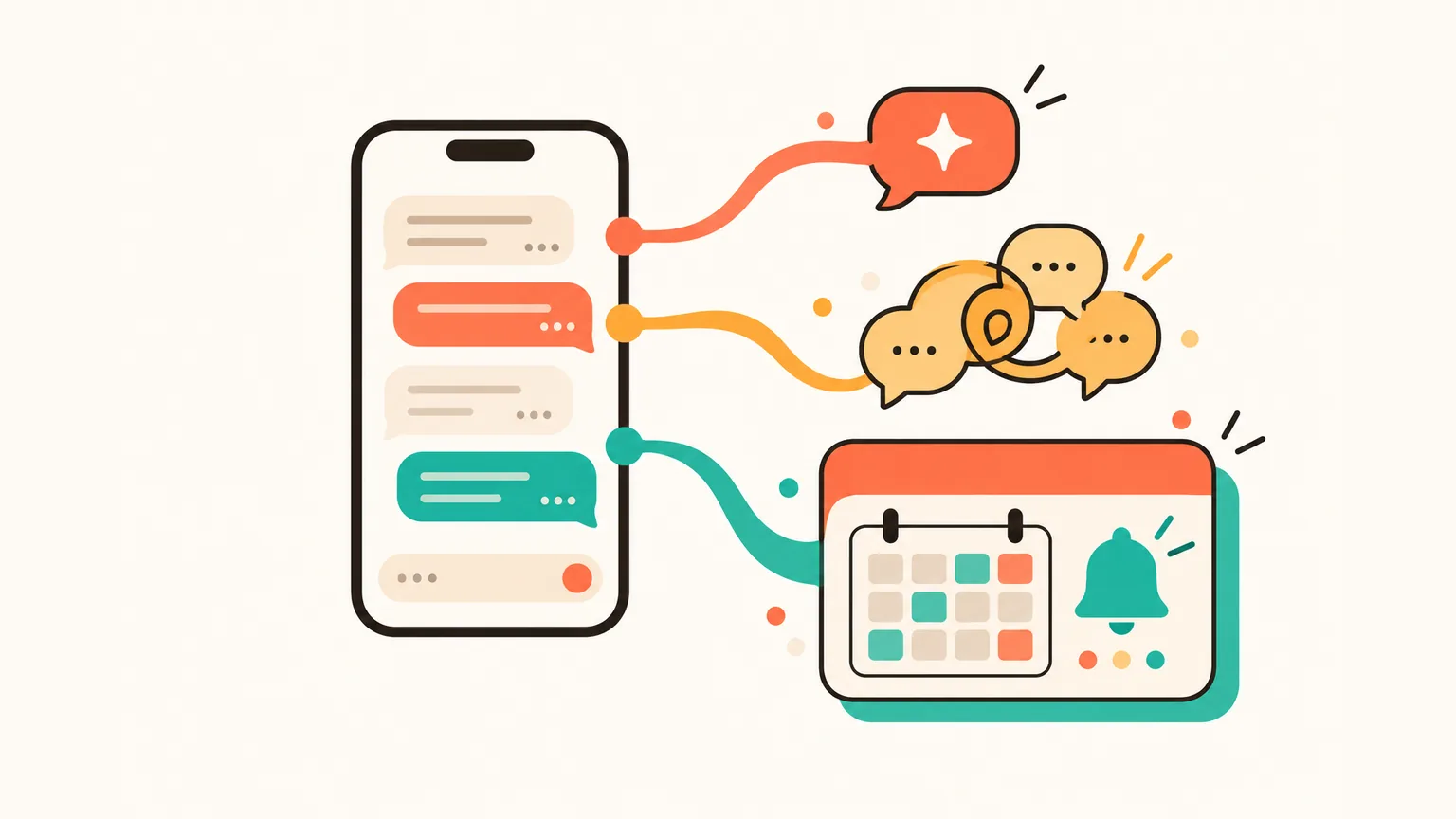
In 2026 there are three realistic ways to get AI help with WhatsApp — and they look nothing like each other. One is built in by Meta. One is a business account you message like a contact. One is a separate app on your phone that works with the chats you already have.
- Meta AI inside WhatsApp. It lives in its own chat, and in group chats it answers when you tag it with `@Meta AI`.
- Business accounts you message like a contact. After Meta's January 2026 rules, these are limited to specific business services — not general-purpose AI chatbots.
- Separate apps that work with the chats you connect. Different category: the app stays alongside WhatsApp and helps with your real conversations. Aivi is one.
Meta AI inside your WhatsApp chats
Meta AI is Meta's own AI assistant, built into WhatsApp. You talk to it in a dedicated chat; in group chats, you can mention it with `@Meta AI` and it will answer the group just for that message.
As of October 2026, Meta AI is available in a growing set of supported countries. The rollout started in the US (English first), then reached the UK, Brazil and much of Europe; availability depends on country and account (WhatsApp — Meta AI).
The simplest WhatsApp AI in chat today is Meta AI itself: it starts as a chat you can open inside WhatsApp, or by mentioning it with `@Meta AI` in a group. There's nothing to install and no third-party sign-in.
The limits are worth knowing. Meta states Meta AI only sees the message that tags it in a group — not the rest of the conversation. Your private 1:1 chats with friends stay end-to-end encrypted and are not read by Meta AI.
In its own one-to-one chat with Meta AI, Meta says those messages are stored and may be used by Meta, and that chat is not end-to-end encrypted between you and Meta's AI (WhatsApp Blog).
What about third-party AI bots?
Before 2026, 'a WhatsApp AI bot' usually meant a business account on the WhatsApp Business Platform. You messaged it like a contact, and it answered inside the 24-hour window WhatsApp allows a business to reply, or with a pre-approved template outside that window.
Unlike Telegram, WhatsApp has no public bot catalogue. What used to be called 'a WhatsApp AI bot' was usually a business account built on the WhatsApp Business Platform — and, since January 2026, standalone general-purpose AI assistants can no longer be distributed through that platform.
In October 2025 Meta updated the WhatsApp Business Solution terms to bar general-purpose AI chatbots from the WhatsApp Business API.
According to Meta, the updated terms applied to new signups from 15 October 2025 and rolled out to all existing providers on 15 January 2026 (TechCrunch).
Named examples that stopped operating as standalone chatbots on the platform include OpenAI's ChatGPT (`1-800-ChatGPT`), Perplexity, Microsoft Copilot, Luzia and Poke.
Businesses that use AI for their own customer service — bookings, support, retail — are not affected; Meta's rules target AI providers distributing a standalone assistant through the Business API.
What this means in practice: a general-purpose AI chatbot you message like a contact inside WhatsApp is no longer the way. The built-in Meta AI chat is still there. And apps alongside WhatsApp — the next section — work in a different shape altogether.
AI assistants that work with your WhatsApp chats (like Aivi)
Aivi is a separate app for iPhone and Android that works alongside your WhatsApp conversations. It doesn't join your chats, doesn't reply to people on its own, and nobody in your chats can see it. WhatsApp stays on your phone as usual — Aivi connects to it as a linked device, like WhatsApp Web.
Four everyday moves you make dozens of times a week:
Translator
Incoming messages arrive in your language; your replies go out in theirs. The other person doesn't need any app.
Planner (calendar + tasks)
Calls, meetings and deadlines you agree on in a chat become calendar events and tasks — in one tap, with a reminder.
Memory
Aivi keeps notes about the people you talk to and tells you who is still waiting for your answer.
Editor (reply drafts)
Ask for a reply and get a draft that fits the conversation. Edit it or send it — the choice is yours.
Aivi can even call you to remind you about an event you added from a chat — not just a push. On a busy afternoon the push slides past; a ringing phone doesn't.
Aivi can also summarise several WhatsApp chats at once — see our write-up on multi-chat summaries.
What that looks like in a real exchange with a Spanish-speaking friend:
Side-by-side at a glance
Six rows, three columns — the three shapes answer different questions.
| What you want | Meta AI inside WA | In-chat business bots | Over-WhatsApp (Aivi) |
|---|---|---|---|
| Lives inside WhatsApp | Yes | Yes (as a contact) | No (separate app) |
| Works with your chats | No (its own chat) | No (its own thread) | Yes (chats you connect) |
| General-purpose AI chat | Yes | No (after Jan 2026) | No (that's not what it does) |
| Reply drafts in your tone | Limited | No | Yes |
| Calendar & reminders | No | Varies | Yes |
| Price | Free | Varies | $9.99/mo (US) |
Is it safe to chat with AI on WhatsApp?
It depends on who you're chatting with and where. Here's what's known about each of the three.
- Meta AI (1:1 chat). Meta states Meta AI conversations are stored and may be used by Meta; the Meta AI chat is not end-to-end encrypted between you and Meta's AI. Your private 1:1 chats with friends stay end-to-end encrypted and are not read by Meta AI.
- `@Meta AI` in a group chat. Meta states Meta AI only sees the message that tags it, not the rest of the group's conversation.
- In-chat business bots. The bot sees only the thread between you and that specific business, not your private chats with friends.
Aivi sits in its own category — not inside WhatsApp. The short list below is what the app does and doesn't do:
- Aivi never asks for your WhatsApp password or SMS code.
- Your messenger passwords never reach our servers.
- Aivi doesn't keep an archive of your messages — your chats stay on your phone.
- Aivi never sends anything without you.
- You can unlink anytime — in WhatsApp under Linked Devices, in Telegram under Devices.
How to pick
Three steps to land on the right choice without over-thinking it.
- Decide what you want A quick AI chat → Meta AI. A specific business task — booking, support, shopping → an in-chat business bot. Help with your own personal chats (translation, drafts, calendar from chats) → an app alongside WhatsApp like Aivi.
- Try the built-in option first Meta AI is already in WhatsApp in supported countries — nothing to install. If a built-in chatbot is enough for the job you had in mind, you're done.
- For help with your own chats, install Aivi App Store or Google Play. Aivi links to WhatsApp through its own Linked Devices feature. From there, your chats arrive in your language, with drafts, calendar events and reminders built in.
Frequently asked questions
Can I chat with AI on WhatsApp?
Yes — in three different shapes. Talk to Meta AI in its own chat inside WhatsApp (supported countries). In a group chat, mention `@Meta AI` to get an answer from Meta's AI. Or, separately, use an app alongside WhatsApp like Aivi that helps with your own chats — translation, drafts, calendar events — while you hit send.
Is a chat bot safe?
It depends on which one. Meta states Meta AI only sees the message that tags it in a group, and your private 1:1 chats with friends stay end-to-end encrypted. In-chat business bots only see the thread between you and that specific business. Aivi is a separate app, not a chatbot inside WhatsApp — its privacy summary is in the section above.
Can I use ChatGPT on WhatsApp?
Not officially, as of October 2026. OpenAI's `1-800-ChatGPT` number — the way to message ChatGPT in WhatsApp as a contact — was discontinued in January 2026, in line with Meta's new WhatsApp Business API rules. OpenAI does not have an official ChatGPT presence inside WhatsApp. For a built-in chatbot, Meta AI is the native option; for help with your own chats, Aivi is a different category — a separate app alongside WhatsApp.
Does Meta AI read my chats with friends?
No. Meta AI lives in its own dedicated chat inside WhatsApp. In group chats, it answers only when you mention it with `@Meta AI` — Meta states Meta AI only sees the message that tags it, not the rest of the conversation. Your private 1:1 chats with friends stay end-to-end encrypted and are not read by Meta AI.
How do I use @Meta AI in a WhatsApp group?
In a group chat, type a message that mentions `@Meta AI` and send it. Meta AI will reply to that message in the group. According to Meta, it only sees the message that tagged it — not the rest of the group's conversation. In 1:1 chats, Meta AI lives in its own dedicated chat, not inside your conversation with a friend.
What happened to WhatsApp AI bots?
Starting 15 January 2026, Meta's updated WhatsApp Business API rules barred general-purpose AI chatbots from operating as standalone assistants on the platform. Business accounts that use AI for their own customer service — bookings, support, retail — are not affected.
Is there an AI that works with my own WhatsApp chats?
Yes. Aivi is a separate app for iPhone and Android that works alongside your WhatsApp conversations. It doesn't join your chats — it links as a device, like WhatsApp Web. In your real chats you get a translator, planner, memory and a reply editor. You hit send on everything. Aivi is free to download; ongoing use is $9.99 a month in the US.
How much does Aivi cost?
Aivi is free to download, and you can try it right away. Ongoing use of the assistant needs a subscription — the standard plan is $9.99 a month in the US, prices vary by country, and you always see the price in the app before you pay.
Aivi is an independent app by ZPOOL FZCO and is not affiliated with, endorsed or sponsored by WhatsApp, Meta or Telegram. WhatsApp and Telegram are trademarks of their respective owners. Product details as of October 24, 2026.